Lead CRM
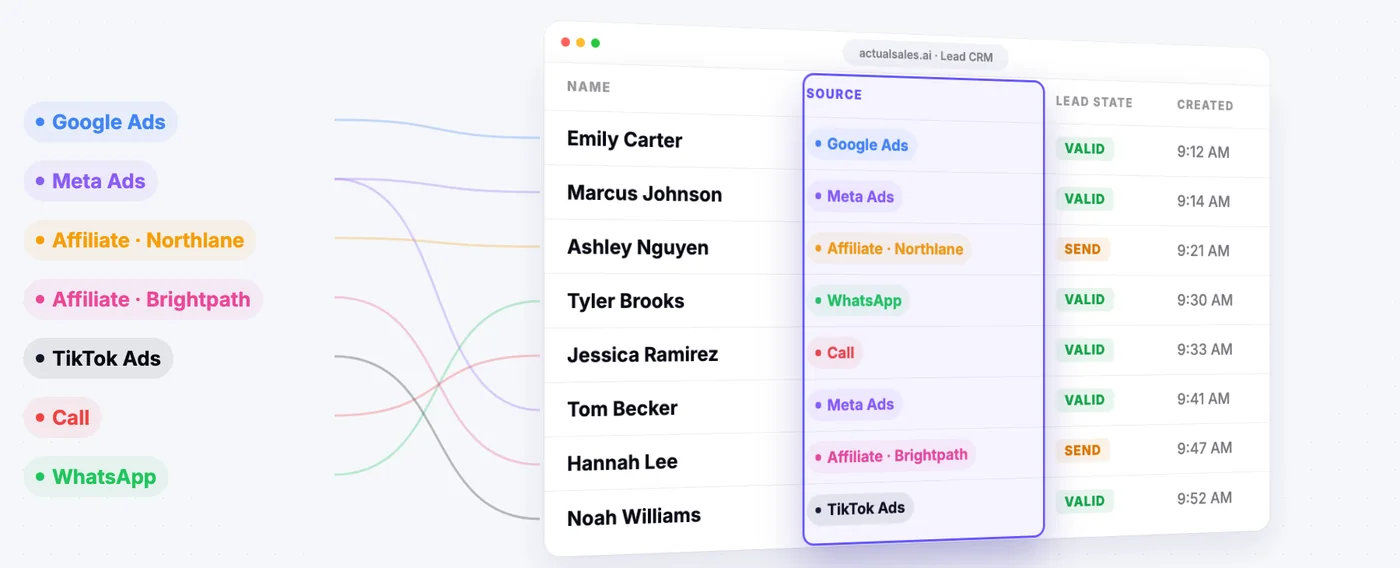
ActualSales.AI includes a built-in CRM that captures every lead generated by the platform's AI campaigns. When AI voice agents make calls, receive inbound calls, handle WhatsApp conversations, or send SMS, all resulting lead data flows into this CRM automatically. It is not a third-party integration -- it is native to the platform, built to handle the specific data types that AI-powered campaigns produce: call recordings, transcripts, AI summaries, extracted qualification data, and multi-channel interaction histories.
This page covers the CRM's structure, data model, filtering capabilities, deal management, and external integration options.
Per-Brand Lead Views
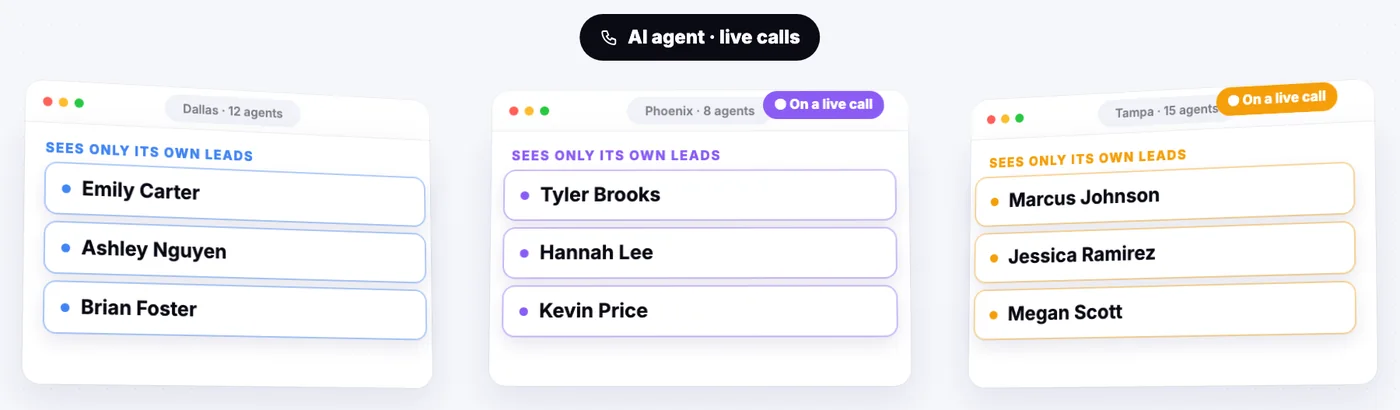
Leads are organized by brand. Each brand you analyze and run campaigns for has its own lead view. This separation is important for agencies managing multiple client brands or enterprises with multiple product lines -- leads from one brand do not appear in another brand's view.
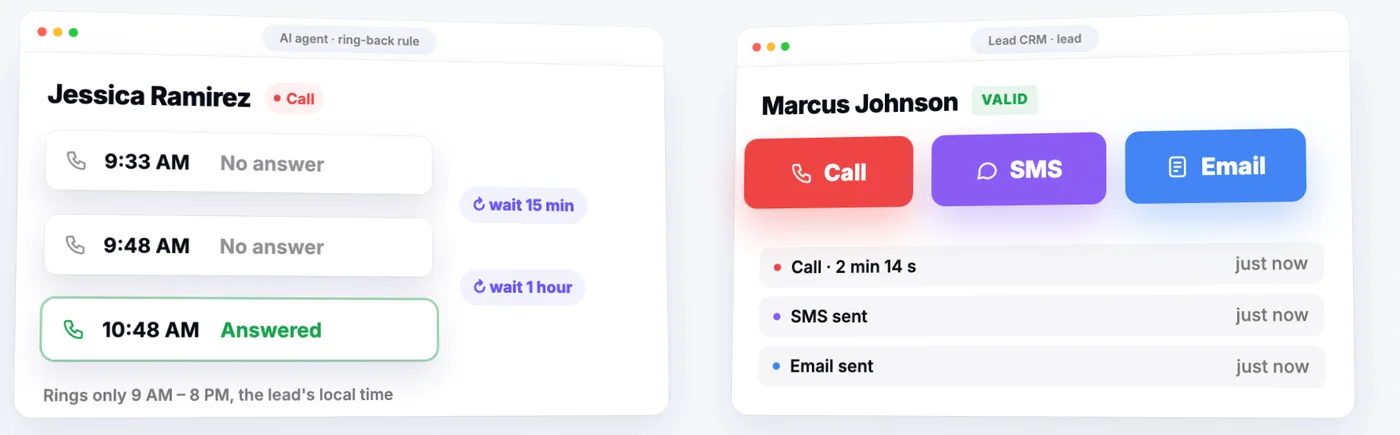
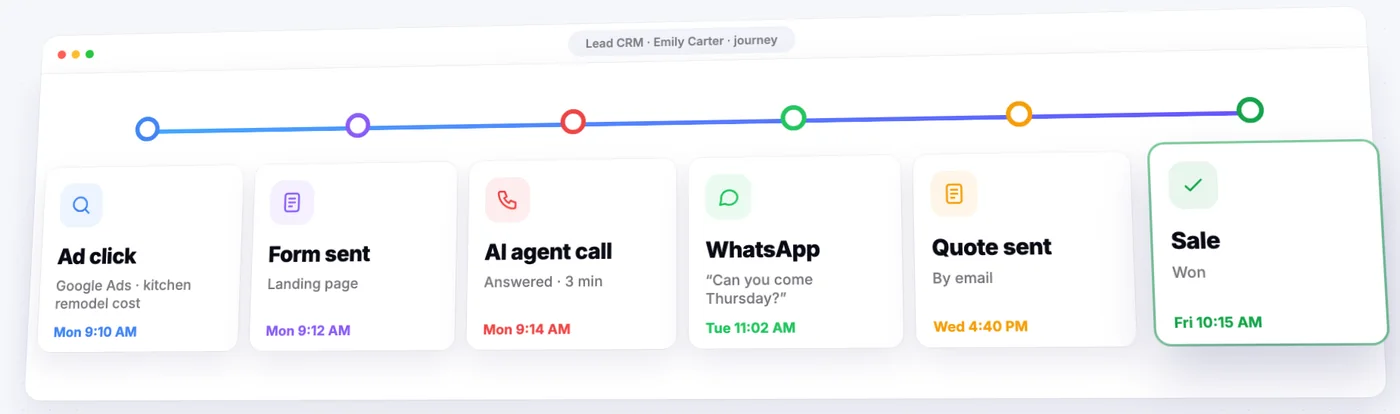
Within each brand view, you see all leads generated by that brand's campaigns across all channels. A single lead record may include interactions from multiple channels:
- An outbound call made by the AI voice agent
- A WhatsApp conversation that followed
- An SMS with a landing page link
- A form submission from the landing page
All of these appear on one lead record, in chronological order, giving you the full picture of how the lead was engaged.
What Data Is Stored Per Lead
Each lead record contains:
- Contact information. Name, phone number, email address, and any additional contact details extracted during conversations or form submissions.
- Call recordings. Full audio recordings of every voice call, playable directly in the CRM. Both outbound and inbound calls are recorded.
- Call transcripts. Automatic transcriptions of every call, searchable and linked to the recording. You can read the conversation without listening to the audio.
- AI call summaries. After each call, the AI generates a concise summary covering key points discussed, lead sentiment, objections raised, and the call outcome. This lets a human agent review dozens of leads quickly without listening to full recordings.
- Extracted qualification data. Structured fields populated from the conversation -- budget, timeline, decision-making authority, specific needs, product preferences. This data is extracted by the AI during the call, not manually entered.
- WhatsApp and SMS history. Full conversation logs from WhatsApp interactions and all SMS messages sent or received.
- Lead status. Current position in the sales pipeline (new, contacted, qualified, converted, lost).
- Funnel position. Where the lead is in the contact center's multi-step funnel (introduction, qualification, objection handling, handoff).
- Timestamps. When each interaction occurred, when the lead was created, when status changed.
Status Tracking
Leads progress through statuses that reflect their position in the sales process:
- New. Lead has been created but not yet contacted by the AI agent.
- Contacted. AI agent has made contact -- completed a call, sent a WhatsApp message, or delivered an SMS.
- Qualified. Lead has passed the qualification criteria defined in the contact center funnel.
- Converted. Lead has completed the desired action (signed up, scheduled appointment, purchased).
- Lost. Lead has been disqualified or has opted out.
Status transitions happen automatically based on AI agent interactions. When the agent completes a qualification step and the lead meets the criteria, the status updates to "Qualified" without manual input. You can also change statuses manually.
Filtering and Search
The CRM provides filtering across all stored data fields:
- Filter by status (new, contacted, qualified, converted, lost)
- Filter by date range (created date, last interaction date)
- Filter by channel (voice call, WhatsApp, SMS, form submission)
- Filter by qualification criteria (any extracted field)
- Search by name, phone number, email, or transcript content
These filters make it practical to work with large lead volumes. An agency running campaigns for a brand generating hundreds of leads per day needs to quickly find qualified leads, review specific calls, or identify patterns in objections.
Deal Management
Beyond individual lead tracking, the CRM includes deal management for organizing leads into revenue-generating opportunities:
- Deal creation. Group one or more leads into a deal with an assigned value, stage, and expected close date.
- Pipeline stages. Track deals through configurable stages (prospecting, proposal, negotiation, closed-won, closed-lost).
- Deal-level notes and activity. Add notes, tasks, and follow-up items to deals independently of the underlying lead records.
Deal management is particularly relevant for B2B campaigns or high-value lead operations where individual leads represent significant revenue.
Export
Lead data can be exported from the CRM for use in external systems or reporting:
- Export filtered lead lists as CSV or Excel files
- Include or exclude specific fields in the export
- Export call recordings as audio files
- Export transcripts as text
Exports respect the current filter state -- if you have filtered to only qualified leads from the past week, the export includes only those leads.
External CRM Integration via Webservice
For organizations that use Salesforce, HubSpot, or other CRM systems as their primary sales platform, ActualSales.AI provides webservice integration. This sends lead data to your external CRM automatically when leads reach a configured status or funnel stage.
The webservice sends structured data including:
- Contact information
- Qualification data (all extracted fields)
- Call summary
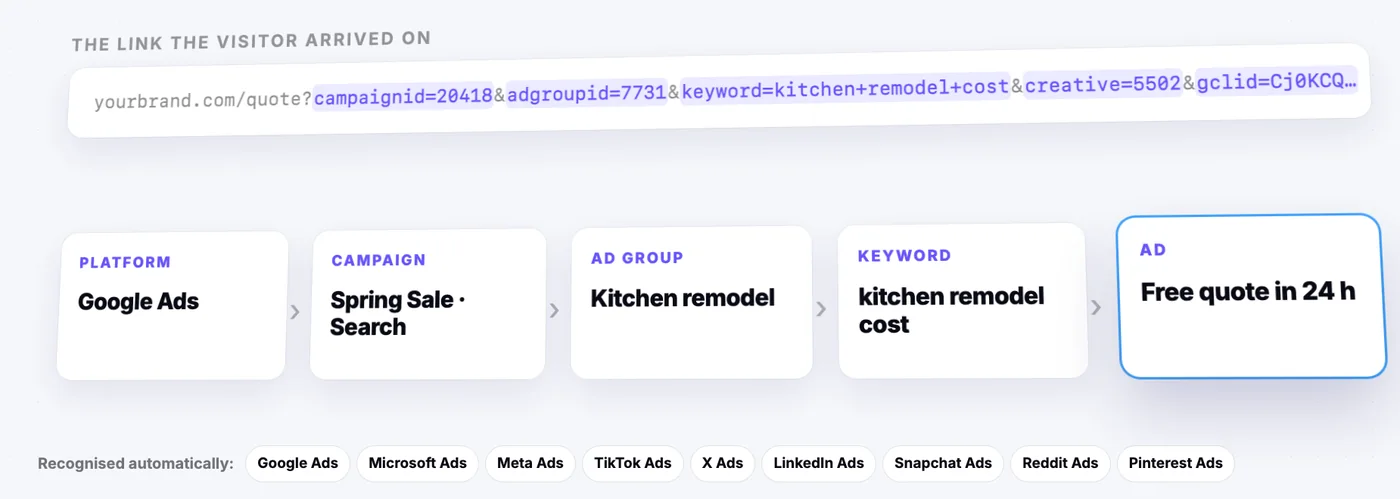
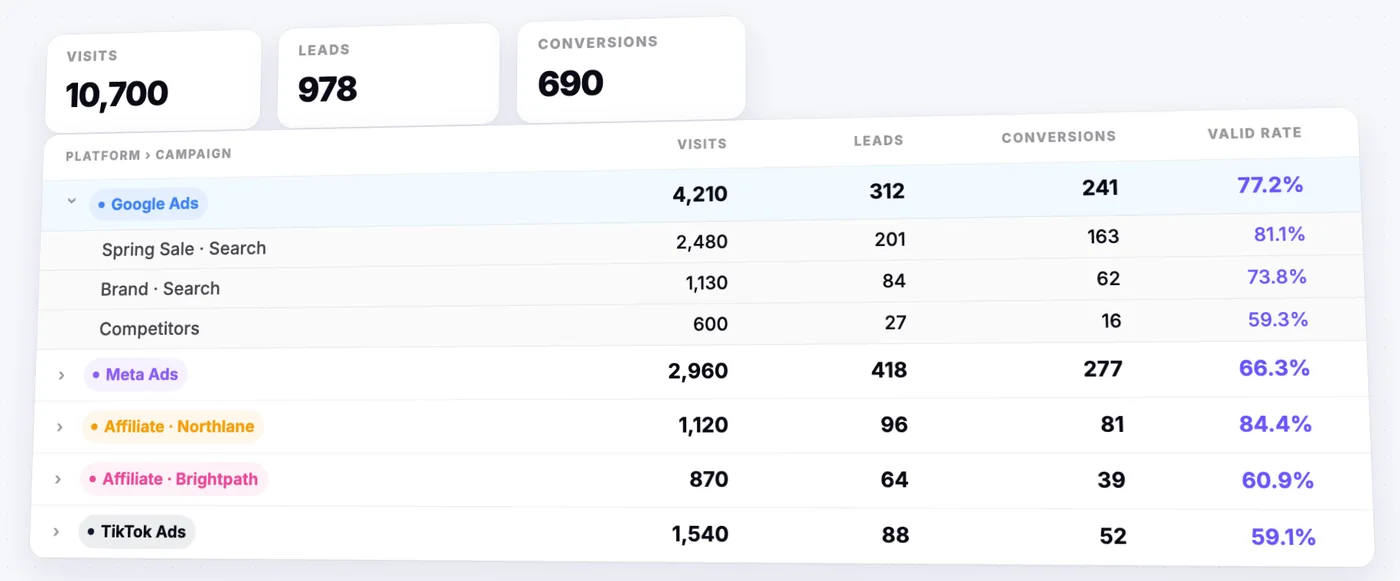
- Lead status and source campaign
This allows the AI contact center and ActualSales.AI CRM to serve as the lead generation and qualification layer, while your existing CRM handles the sales pipeline. Leads arrive in your system pre-qualified with full conversation context.
Relationship to Other Features
The CRM is not a standalone feature -- it is the data layer that ties the platform together:
- AI Contact Center writes to the CRM after every interaction
- Voice Agents populate call recordings, transcripts, and extracted data
- Landing Pages send form submissions as new leads
- SMS and WhatsApp conversations are logged per lead
- Email Campaigns track opens and clicks per lead
Every channel feeds into the same lead record, giving you a single source of truth for each contact.
Frequently Asked Questions
Can I export leads from the CRM?
Yes. You can export filtered lead lists as CSV or Excel files, with control over which fields are included. Call recordings and transcripts can also be exported. Exports reflect your current filter state.
Can I integrate with Salesforce or HubSpot?
Yes. Webservice integration sends qualified leads to external CRMs automatically when they reach a configured status or funnel stage. The data includes contact information, qualification answers, call summaries, and lead status.
What data is stored for each lead?
Contact information, call recordings, full transcripts, AI-generated call summaries, extracted qualification data (budget, timeline, needs), WhatsApp and SMS conversation logs, lead status, funnel position, and timestamps for all interactions.
Are leads organized by brand?
Yes. Each brand has its own lead view. Leads from one brand's campaigns do not appear in another brand's view, which is important for agencies managing multiple client brands.
Does the CRM show call recordings and transcripts?
Yes. Every voice call is recorded and transcribed automatically. Recordings are playable directly in the CRM, transcripts are searchable, and AI-generated summaries let you review leads quickly without listening to full calls.