Watch the video above, then follow along with the step-by-step breakdown below.
Create New Brand Project
After logging in, the
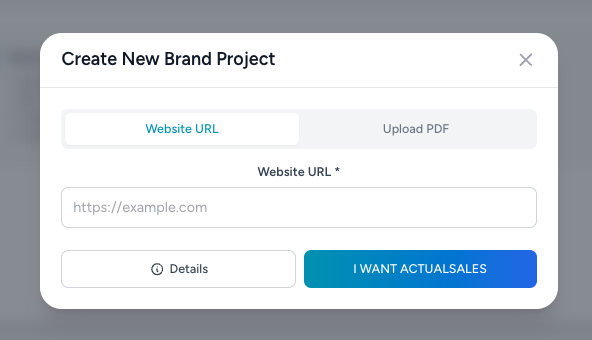
Create New Brand Project window opens. You can either enter a
Website URL or
Upload a PDF. Type your website address and click
Details to expand the advanced options.
The Details Form
Clicking Details reveals all the configuration options:
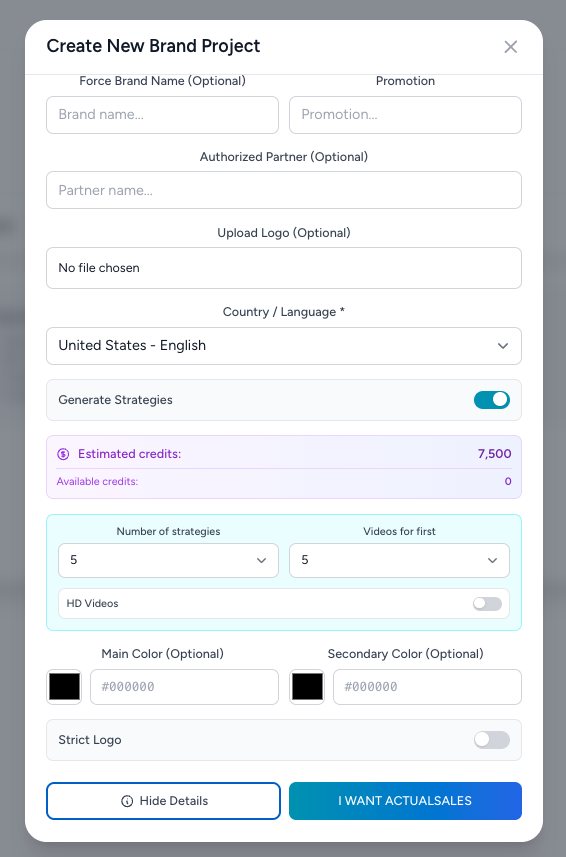 Force Brand Name (Optional)
 — For cases where you search one domain but want to use a different brand. For example, searching the Medicare domain but using your own health solution brand instead.
Promotion — Enter any active promotion to weave into all generated materials: free trial, $1,200 in free equipment, 15% off this holiday, etc.
Authorized Partner (Optional) — When marketing on behalf of another company. For example, put adt.com as the website URL, then enter your relationship type (provider, partner, agent) followed by a colon and your name.
Upload Logo (Optional) — Upload your logo or let the platform extract it from the website.
Country / Language — Select your target market and content language.
Generate Strategies — Toggle on to auto-generate strategies. You can set the
number of strategies and
videos per strategy. Enable
HD Videos if you want higher quality video assets.
Main Color / Secondary Color — Customize your brand colors or let the platform pull them from your website.
Strict Logo — Toggle on to guarantee the exact logo you provide is used on all banners and materials.
When you are ready, press
I WANT ACTUALSALES.
Processing
The AI analyzes your website, extracts your brand identity, and generates all your marketing materials. Wait while it works...
Done! Strategies & Materials Created
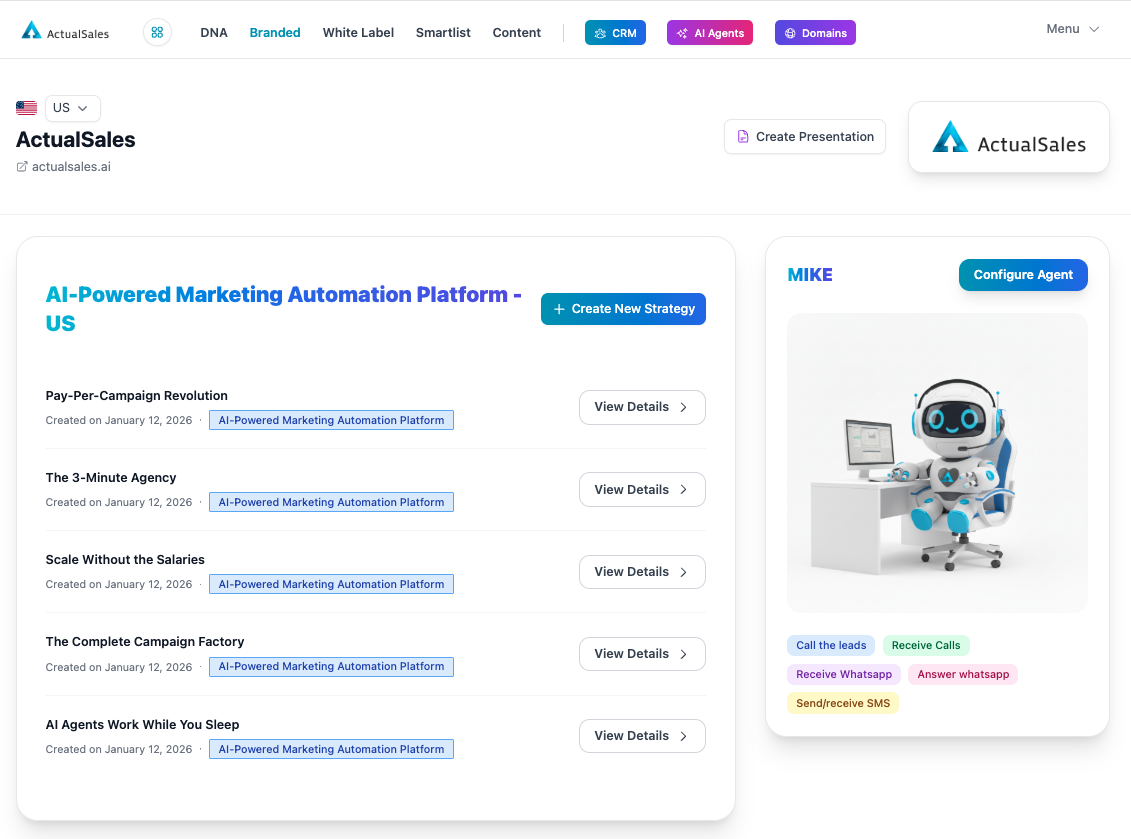
Your brand dashboard is ready with all
five strategies generated—Pay-Per-Campaign Revolution, The 3-Minute Agency, Scale Without the Salaries, The Complete Campaign Factory, and AI Agents Work While You Sleep.
Each strategy comes loaded with landing pages, ads, banners, emails, SMS campaigns, and more. Your AI agent
MIKE is also configured and ready to handle calls, WhatsApp, and SMS.
This concludes Session 1 of the ActualSales.ai Academy. See you in the next one!
