Watch the video above, then follow along with the step-by-step breakdown below.
The Strategies Overview
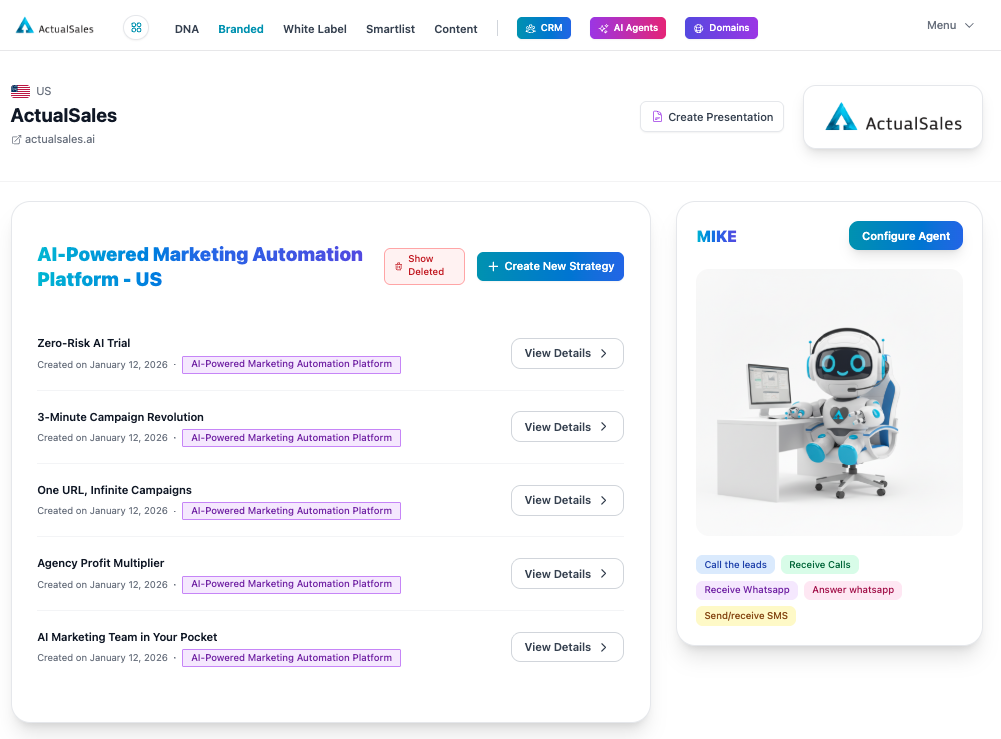
When you create a brand, the platform generates five unique sales strategies by default. Each strategy is a complete, targeted marketing campaign with its own angle, creatives, and landing pages.
In the
Branded section you can see all your strategies listed. Each one has a name, creation date, and a
View Details button. You also have access to
Create New Strategy and your AI agent (
MIKE) on the right side.
Understanding Strategy Differences
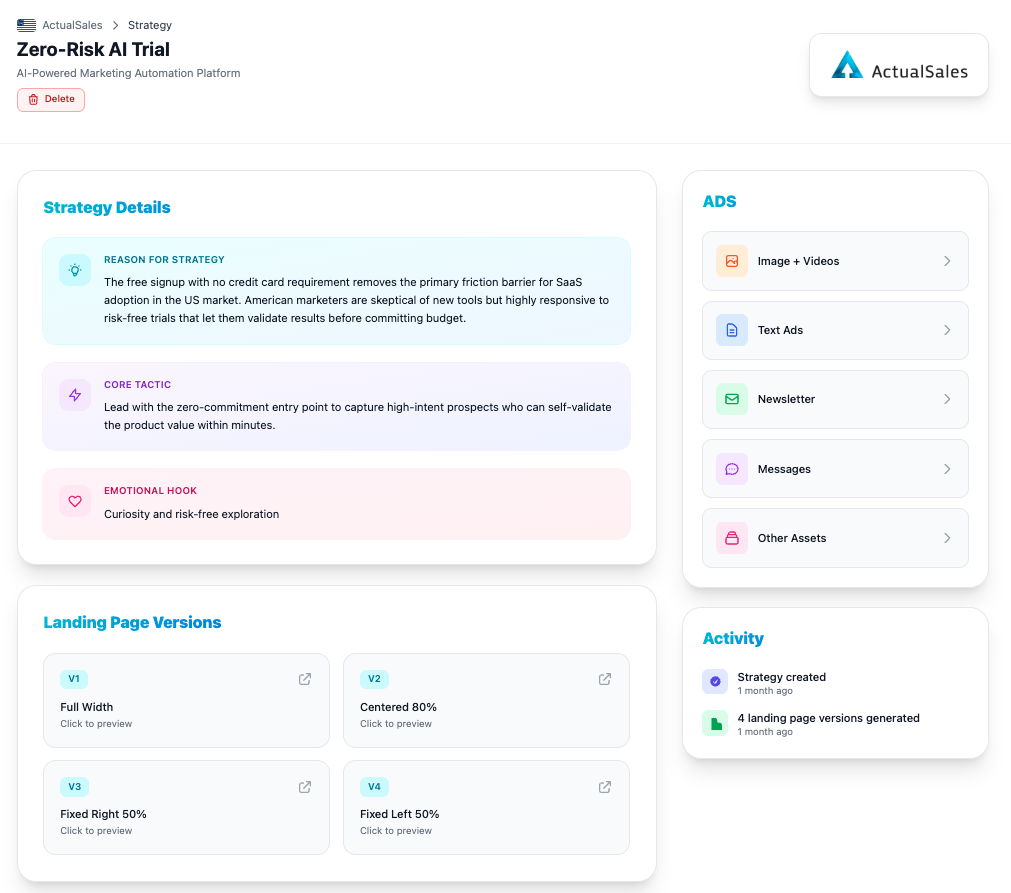
Every strategy has three key components that make it unique:
- Reason for Strategy — the market insight or friction point being addressed
- Core Tactic — the specific approach to capture and convert prospects
- Emotional Hook — the psychological trigger that drives action
For example, the
Zero-Risk AI Trial strategy focuses on removing the friction barrier with a free sign-up, no credit card requirement. Its emotional hook is curiosity and risk-free exploration. The core tactic leads with a zero-commitment entry point to capture high-intent prospects.
Contrasting Strategies
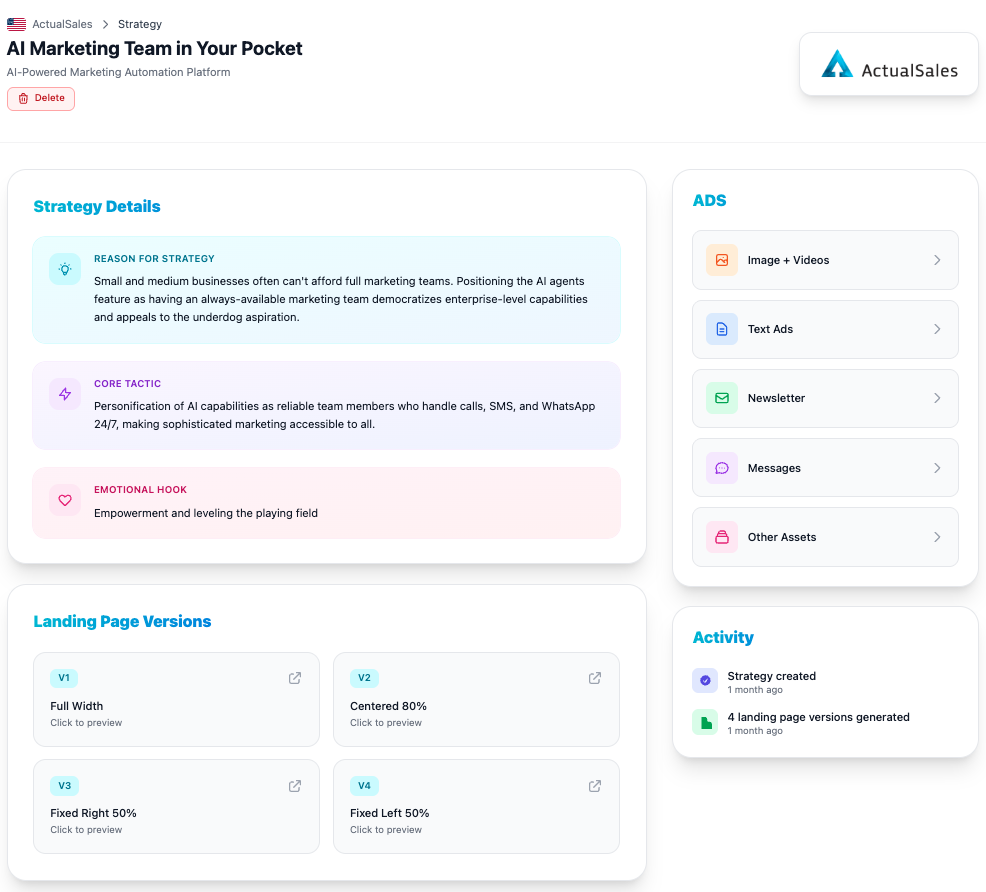
Compare that with
AI Marketing Team in Your Pocket — a completely different approach. This one positions AI agents as reliable team members for small businesses that can not afford full marketing teams. The emotional hook is empowerment and leveling the playing field.
Because the reason, tactic, and hook are different, all the creatives — landing pages, ads, banners, emails, SMS — reflect the different strategy, creating a unique, targeted, high-performance, tailor-made marketing campaign.
Each Strategy Comes Loaded
Every strategy includes a full set of assets ready to use:
- Landing Page Versions — four layouts (Full Width, Centered 80%, Fixed Right 50%, Fixed Left 50%)
- Image + Videos — visual ad creatives
- Text Ads — copy for search and display ads
- Newsletter — email campaign templates
- Messages — SMS and WhatsApp templates
- Other Assets — additional marketing materials
Creating On-Demand Strategies
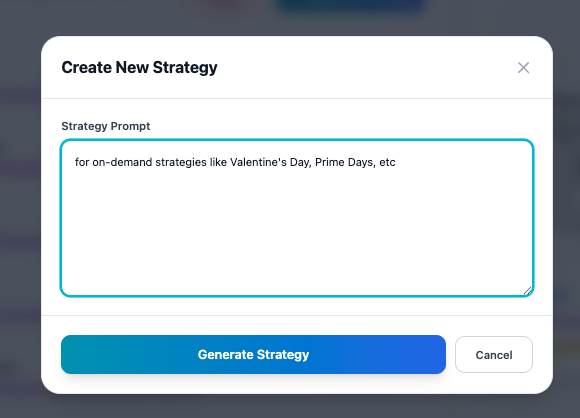
Beyond the initial five strategies, you can create new ones for specific events or campaigns. Click
+ Create New Strategy, enter a
Strategy Prompt describing what you need — Valentine's Day, Prime Days, Thanksgiving, Black Friday, or any occasion that deserves a dedicated set of creatives — and hit
Generate Strategy.
This concludes Session 3 of the ActualSales.ai Academy. Remember, the right strategy creates actual sales. See you in the next session!
